AI Image Tools
How AI Background Removal Works
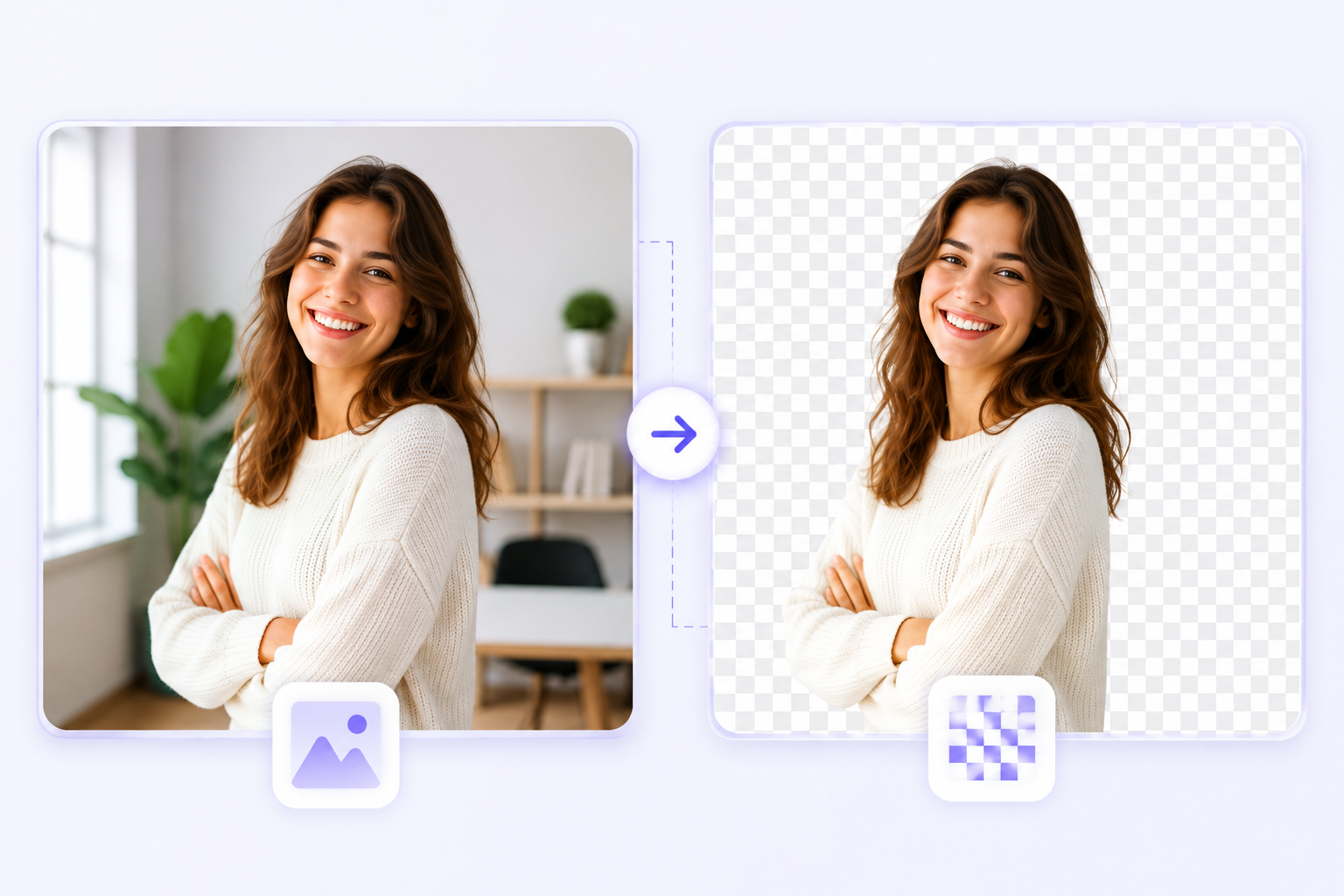
Removing a photo background used to be time-consuming. Today, an AI background remover can detect the subject and produce a transparent background in seconds—no manual masking required.
Introduction
Removing the background from a photo is a common need across ecommerce, marketing, and content creation. An AI background remover automates that task, making it fast and accessible—even for users who are not experienced with graphic software.
Online AI background removers let you remove background from image files without installing software: upload a photo, let the model detect the subject, and download a transparent background version ready for use.
What is AI background removal?
AI background removal is the process of separating the main subject from its background using machine learning. Instead of manually tracing or erasing edges, a model analyzes patterns, color, and texture to identify the foreground subject and mask out the background.
The main difference between AI-based background removal and manual editing is speed and accessibility. Manual tools require skillful brushing or masking, while AI does the heavy lifting automatically and often produces excellent results in a fraction of the time.
How AI background removal works
- Upload an image. The process starts when you provide a photo to the tool.
- AI analyzes the image. A neural network examines color, contrast, and context to find likely subjects.
- The model detects the foreground object. It creates a mask that separates subject pixels from background pixels.
- The background is separated. Background pixels are removed or replaced according to user choice.
- Refinement around edges. Specialized algorithms smooth hair, clothing edges, and semi-transparent regions to reduce artifacts.
- Download or replace background. Users can download a transparent PNG or apply a new background color or image.
AI background removal is powerful but not perfect—complex scenes, motion blur, or fine translucent details can still require manual touch-ups. The tool is designed to handle common photos reliably and speed up workflows.
Why use an AI background remover?
Using AI to remove backgrounds saves time and produces consistent results. It’s especially useful for business owners, marketers, and creators who need many images processed quickly.
- E-commerce product photos with clean, consistent backgrounds.
- Professional profile pictures with polished presentation.
- Social media posts and marketing visuals that need quick iteration.
- Graphic design tasks where subjects are composited onto new backgrounds.
How to remove a background using our tool
- Open the Background Remover tool. Navigate to the Background Remover under Tools.
- Upload your image. Choose a photo from your device.
- Wait while AI processes the image. The tool analyzes and generates a mask automatically.
- Preview the transparent result. Inspect edges and hair details; use the refine option if available.
- Choose a solid background color or keep it transparent. Pick white, another color, or a custom background image.
- Download the final image. Save as a transparent PNG or other supported format.
Best practices
- Use high-resolution images for better edge detection.
- Choose photos where the subject contrasts with the background.
- Avoid overly cluttered backgrounds when possible.
- Select the correct output format—PNG for transparency.
- Review and refine edges, especially around hair and transparent materials.
Common mistakes
- Uploading blurry or low-resolution photos that confuse the model.
- Expecting perfect results on every image—some scenes need manual edits.
- Ignoring hair and fine-edge artifacts in the preview.
- Picking a background color that clashes with the subject's outline.
Benefits of our AI background remover
- AI-powered subject detection for fast and reliable masks.
- Browser-based processing—no software install required.
- Fast processing with instant previews.
- Download transparent PNGs and replace backgrounds easily.
- Mobile-friendly interface so you can remove background online from any device.
Frequently Asked Questions
How does AI remove image backgrounds?
AI models segment the image by identifying the subject and generating a mask that separates foreground from background.
Is the tool free?
Our Background Remover is available for everyday edits and quick background removal tasks.
Does the tool support transparent PNG?
Yes—download options include transparent PNG for compositing and design work.
Can I change the background color?
Yes. After removal you can select a solid color or apply a custom background image.
Will image quality be reduced?
The original subject pixels remain intact; final quality depends on the source image and chosen output format.
Can I use it on my phone?
Yes—the interface is mobile-friendly so you can remove background online from a smartphone or tablet.
Which formats are supported?
Common formats like JPG, PNG, and WEBP are supported for background removal.
Can AI remove complex backgrounds?
AI handles many complex scenes well but very busy backgrounds or fine translucency may need manual refinement.
Real-world applications
Businesses and creators use AI background removal for product catalogs, marketing visuals, profile photos, thumbnails, and presentations. Freelancers and educators also rely on quick background erasers to speed up design tasks.
Conclusion
AI background removal makes a previously technical task fast and accessible. While no tool is perfect, modern models deliver excellent results for most photos and dramatically reduce the time needed for editing.
Try our AI Background Remover to remove background from image files quickly, get transparent PNG downloads, and customize backgrounds for any project.